moderate change What the guidance says has shifted
Google renamed the page to 'Control what you share with Google Search', changed 'allows' to 'let' and 'hide' to 'block', and added two new rows to the blocking methods table: one for robots meta tag, data-nosnippet or X-Robots-Tag, and one for the Search generative AI control.
Lincoln Digital's AI Overview
The added rows highlight a site-wide control for managing inclusion in AI Overviews and AI Mode, which could be relevant for site owners concerned about generative AI features. The wording shift from 'hide' to 'block' makes the guidance slightly more direct, though the underlying mechanics remain the same.
Generated by AI from the change below: a guide to what it could mean, not a certainty.
Word for word
red was taken outgreen was put in
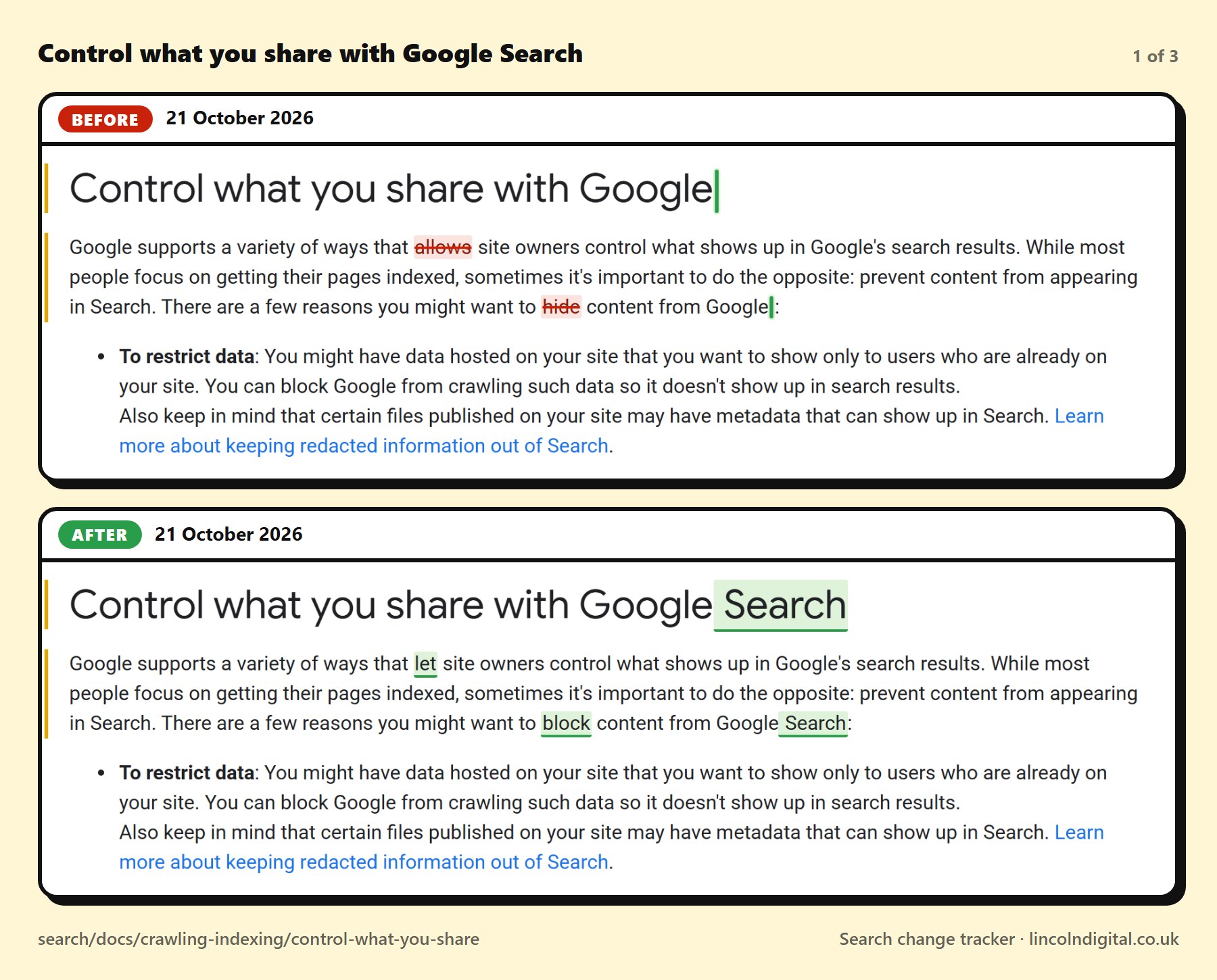
Heading: Control what you share with Google[added: Search]
At the top of the page
Google supports a variety of ways that [removed: allows][added: let] site owners control what shows up in Google's search results. While most people focus on getting their pages indexed, sometimes it's important to do the opposite: prevent content from appearing in Search. There are a few reasons you might want to [removed: hide][added: block] content from Google[added: Search]:
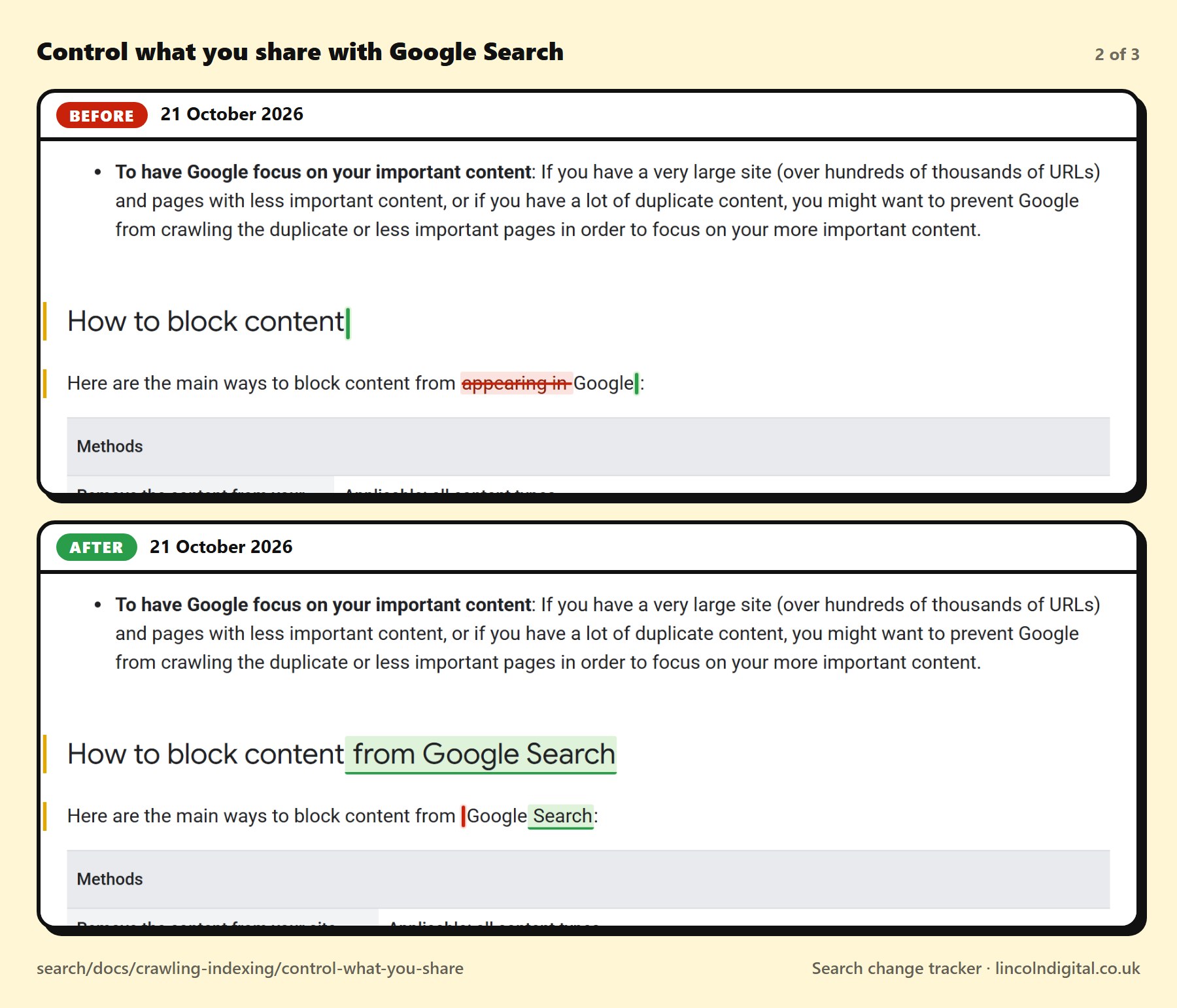
Heading: How to block content[added: from Google Search]
In “How to block content from Google Search”
Here are the main ways to block content from [removed: appearing in ]Google[added: Search]:
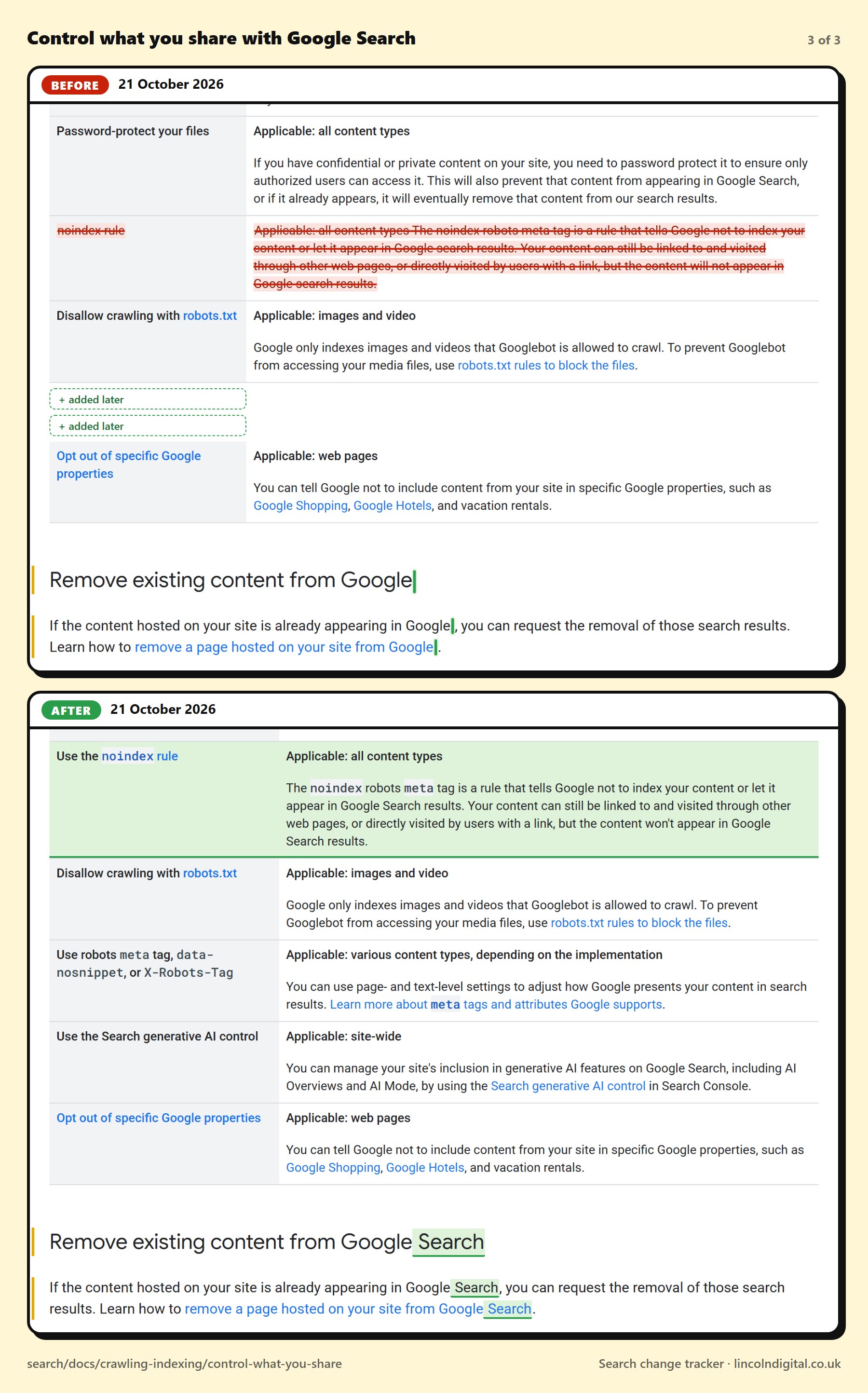
[added: Use the ]noindex rule | Applicable: all content types The noindex robots meta tag is a rule that tells Google not to index your content or let it appear in Google [removed: search][added: Search] results. Your content can still be linked to and visited through other web pages, or directly visited by users with a link, but the content [removed: will not ][added: won't ]appear in Google [removed: search][added: Search] results.
[added: Use robots meta tag, data-nosnippet, or X-Robots-Tag | Applicable: various content types, depending on the implementation You can use page- and text-level settings to adjust how Google presents your content in search results. Learn more about meta tags and attributes Google supports.]
[added: Use the Search generative AI control | Applicable: site-wide You can manage your site's inclusion in generative AI features on Google Search, including AI Overviews and AI Mode, by using the Search generative AI control in Search Console.]
Heading: Remove existing content from Google[added: Search]
In “Remove existing content from Google Search”
If the content hosted on your site is already appearing in Google[added: Search], you can request the removal of those search results. Learn how to remove a page hosted on your site from Google[added: Search].
On Google's page
The "before" is the same page with the earlier wording put back.
Changed between our checks at and (UK time)Google's “last updated” date moved from 10 Dec 2025 to 21 Oct 2026Posted on X Link to this change